Offline POS app for Android

The POS app that keeps selling when the internet goes off

Network cuts, dead zones and finished data bundles should not close your counter. The Maduuka Android app keeps your team selling, serving and recording with no connection, then sends everything to your cloud records the moment the network returns.

  • Cash and on-account sales
  • Offline sign-in
  • Sent automatically on reconnect

Scan to install on Android

Point your Android phone's camera at the code to open Maduuka on Google Play.

Or open Google Play
Get it on Google Play

The iPhone app is on its way

The Maduuka iOS app is nearing completion and will launch in 2027. Until then, use Maduuka in your iPhone or iPad web browser with a connection; offline selling is on the Android app.

Start a free trial on the web →
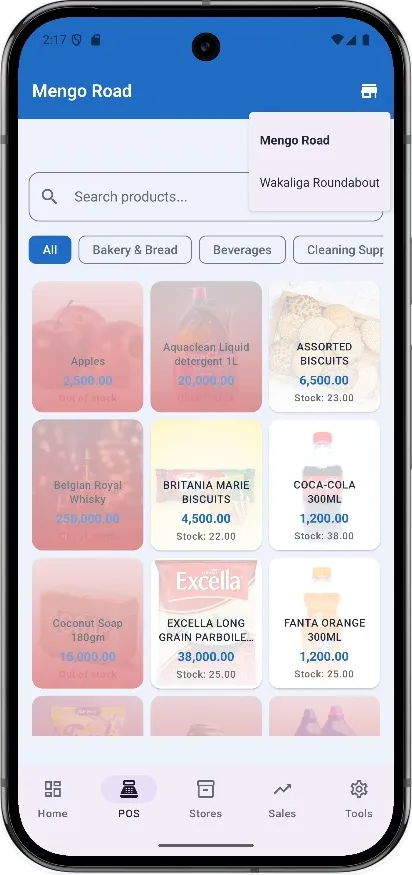
The Maduuka Android app showing the point-of-sale product grid for a shop branch
Sales saved on the phone
Sent and checked on reconnect
Every sale
kept on the phone, even if the app is closed
7 days
of offline sign-in after signing in online on that phone
Server-numbered
official invoice numbers, issued when each sale arrives
Zero
stock, cash or ledger entries made by the phone alone

How offline selling works

Sell now. Send later. Stay accurate.

The app never asks your customer to wait for the network. It records the work, keeps it safe and lets the server do the checking.

  1. The connection drops

    The app notices and keeps going. Products, prices and stock already on the phone keep the till working, with cash or on-account payment.

  2. Work waits safely on the phone

    Sales, new customers, expenses and receipt photos are stored on the phone. They stay there even if the app is closed, and Home lists what is waiting.

  3. The network returns

    Everything is sent automatically. The server checks each item, gives invoices their official numbers and posts them to stock, cash and your books.

What works with no connection

A working day, without the network

These functions of the Maduuka Android app keep working when the signal is gone.

Tailor in her workshop on a phone call, checking an order slip beside her sewing machine
The counter stays open.

Sell at the till

Make cash or on-account sales with no connection. Each sale stays on the phone, even if the app is closed, and is posted as one invoice when the connection returns.

Sign in offline

Staff who have signed in online on that phone in the last seven days can sign in without a connection, with the permissions they already have.

Customers and expenses

Add and edit customers, and write down expenses with a photo of the receipt. They wait on the phone and are sent automatically.

Carts, receipts and documents

Park a cart and recall it later. Reopen receipts and documents already saved on the phone to read or show a customer.

My work day

Open the till, count the cash, clock in and out, and note cash taken in or out of the till for a manager to confirm.

Restaurant tables

Open a table order, send tickets to a paired kitchen printer, and take payment by cash or on account.

Hotel housekeeping

Housekeepers update a room's cleaning status and report room faults from the floor, even where the signal is weak.

Home keeps its figures

The dashboard keeps the last figures it received and shows when they were saved, with sales still on the phone listed separately.

Hands tapping an app on a smartphone screen
Records catch up on their own.

Offline by sector

Built for the way each business works

Shops, restaurants, pharmacies and hotels each get offline functions that fit their day.

Boutique shopkeeper holding her phone in front of a rail of yellow clothes on sale

Shops and supermarkets

Your counter stays open when the network drops

  • Cash and on-account sales at the till, offline
  • Park a customer's cart and recall it later
  • Add new customers on the spot
Stock and retail
Restaurant point-of-sale payment scene focused on checkout flow rather than faces

Restaurants and bars

Tables keep moving when the network drops

  • Open a table order on the phone
  • Send tickets to a paired kitchen printer, or show them on screen
  • Take payment by cash or on account and free the table
Restaurant system
Organised pharmacy shelves representing Maduuka's dispensing, stock control, and compliance workflow

Pharmacies

Your counter keeps serving when the network drops

  • Cash and on-account sales at the till, offline
  • Controlled medicines are held back offline: a pharmacist records those sales online
  • Receipts and documents saved on the phone stay readable
Pharmacy system
Modern hotel exterior suited to Maduuka's hotel management system for African hospitality businesses

Hotels and lodges

Housekeeping keeps working on weak signal

  • Update a room's cleaning status from the floor
  • Report a room fault with the details
  • Restaurant and bar tills in the hotel keep selling offline
Hotel system

Offline, never out of control

The phone records. The server decides.

Offline selling is only useful if your books stay right. Maduuka splits the work so that nothing reaches your stock, cash or ledger until the server has checked it.

On the phone, offline

  • Records sales, customers, expenses and daily till work
  • Shows a short reference tag in place of the official number
  • Keeps the same staff permissions as the web
  • Turns refunds into refund requests
  • Holds back controlled medicines for a pharmacist online

On the server, when you reconnect

  • Checks every item again before accepting it
  • Issues official, gap-free invoice and document numbers
  • Posts stock, cash and double-entry ledger lines
  • Lists conflicts, such as two cashiers selling the last item, for a manager
  • Lets a manager complete refunds and confirm till cash

Choosing an offline POS

Questions to ask any offline POS app

Many systems say they work offline. These are the questions that show whether your records will still be right afterwards.

Are offline sales kept if the app is closed?
Yes. Each sale stays saved on the phone until it has been sent.
Who gives the official invoice number?
The server, when the sale arrives, so numbers stay in one unbroken series.
Can the phone change stock or the ledger on its own?
No. Stock, cash and ledger entries are posted by the server only.
What happens when two tills sell the last item?
The clash is listed for a manager to review instead of being hidden.
Can staff sign in when the network is down?
Yes, if they signed in online on that phone in the last seven days.
Can money leave the till without approval?
No. Refunds and cash notes become requests that a manager completes online.

Offline POS questions

Offline selling, answered

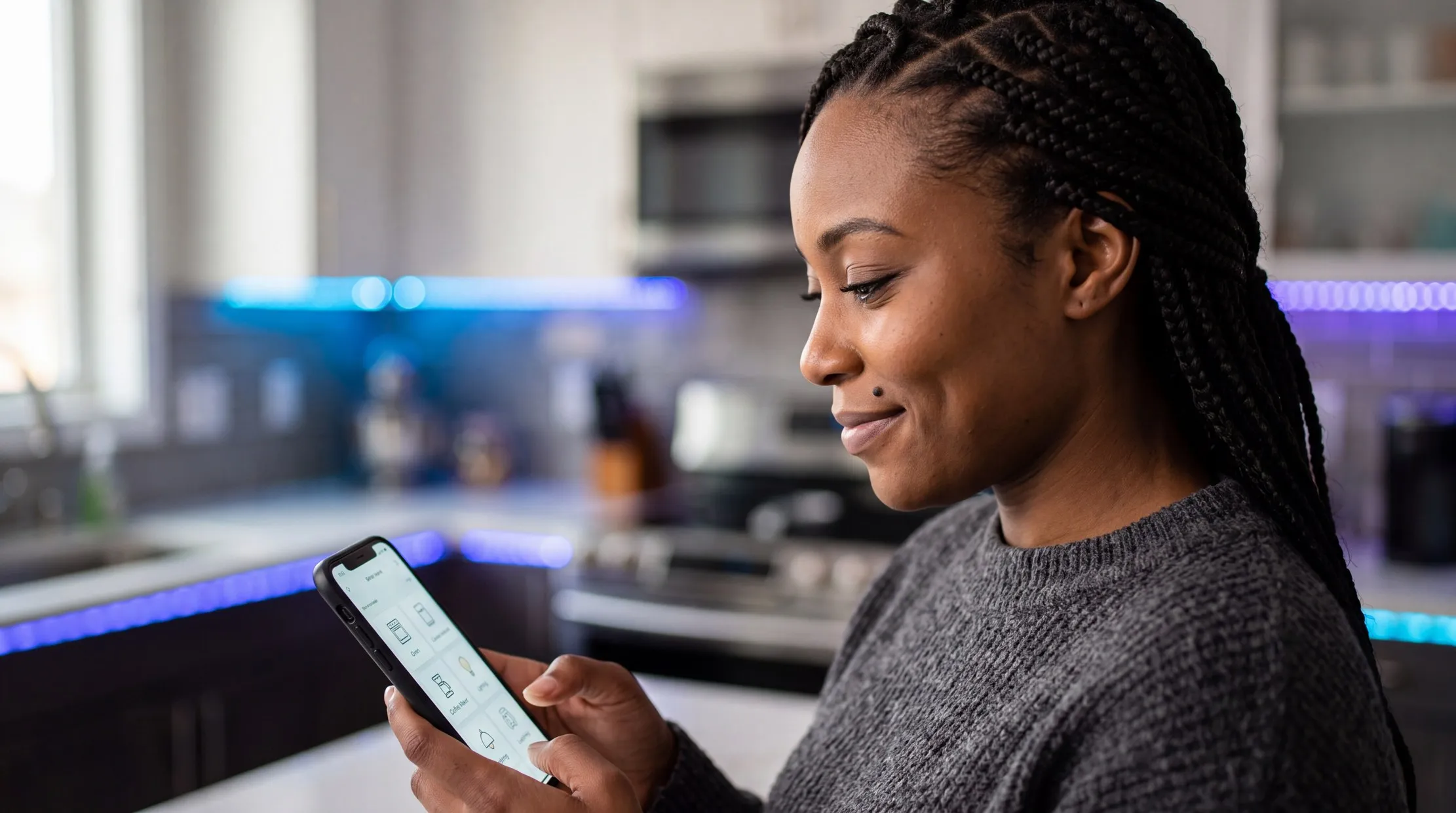
Smiling woman in a grey sweater using an app on her phone
Does Maduuka work without internet?
Yes, on the Maduuka Android app. Cash and on-account sales, offline sign-in, customers, expenses, parked carts, till work, restaurant table orders and hotel housekeeping keep working with no connection. The work is sent to your cloud records automatically when the connection returns. The web app in a browser needs a connection.
What can I do in the Maduuka app with no connection?
You can sell for cash or on account, sign in, add and edit customers, write down expenses with a receipt photo, park and recall carts, reopen saved receipts and documents, open the till, count cash, clock in and out, and note cash taken in or out of the till. Restaurants can take table orders and print kitchen tickets on a paired printer. Hotels can update housekeeping room status and report room faults.
What happens to sales I make offline?
Each sale is saved on the phone. When the connection returns, the app sends it to the server, which checks it again, gives it an official invoice number and posts it to stock, cash and your double-entry books. Each offline sale arrives as one normal invoice.
Will I lose offline sales if the app is closed?
No. Offline sales stay saved on the phone even if the app is closed, and they are sent the next time the phone has a connection.
Can my staff sign in to Maduuka offline?
Yes. A staff member who has signed in online on that phone within the last seven days can sign in offline, with the same permissions they already have. Five wrong passwords lock offline sign-in, and staff who use two-step sign-in need a connection.
How are receipt and invoice numbers handled offline?
While offline, the phone shows a short reference tag. The server gives the official, gap-free invoice or document number when the sale arrives, so your numbering stays in one unbroken series with no duplicates.
Does offline selling change my stock and accounts?
Not on the phone. Stock, cash and ledger entries are only posted by the server after it has checked each sale. Your books never contain anything the phone has not sent and the server has not accepted.
What if two cashiers sell the last item while offline?
Both sales are kept. When they arrive, Maduuka lists the clash for a manager to review, so the shortfall is visible and dealt with instead of being hidden.
Which payment methods work offline?
Offline sales are taken as cash or on account. Mobile money and card payments need a connection.
Can I give a refund offline?
A refund made offline becomes a refund request. A manager completes it online, so no money leaves the till on the phone's word alone.
Does the restaurant system work offline?
Yes. Waiters and cashiers can open table orders, send tickets to a paired kitchen printer and take payment by cash or on account with no connection. Bills are sent to your records when the connection returns.
Can a pharmacy sell offline with Maduuka?
Yes, for counter sales by cash or on account. Controlled medicines are held back while offline: a pharmacist records those sales online, with the usual controls.
Does the hotel system work offline?
Housekeepers can update a room's cleaning status and report room faults with no connection, and hotel restaurant and bar tills keep selling. Front desk work, folios and room charges are handled online.
How long can the app stay offline?
Offline sign-in works for seven days after a staff member last signed in online on that phone, and product prices and tax details on the phone are used for up to seven days. Connecting at least once a week keeps everything current.
Is there an offline app for iPhone or for the web?
Offline selling is on the Maduuka Android app for phones and tablets. The Maduuka iOS app for iPhone and iPad is nearing completion and will launch in 2027. Until then, on an iPhone, iPad or computer, use Maduuka in a web browser with a connection.
How do I install the Maduuka offline POS app?
Install Maduuka from Google Play. On a computer, scan the QR code on this page with your Android phone. On an Android phone, tap the Google Play button. Sign in online once on the phone so it can download your products, prices and permissions.

Put an offline-ready till in your team's pocket

Install the Maduuka Android app, sign in once online, and keep selling through the next network cut.

Scan to install on Android

Point your Android phone's camera at the code to open Maduuka on Google Play.

Or open Google Play
Get it on Google Play

The iPhone app is on its way

The Maduuka iOS app is nearing completion and will launch in 2027. Until then, use Maduuka in your iPhone or iPad web browser with a connection; offline selling is on the Android app.

Start a free trial on the web →